

Apekon Studio turns CAD and 3D models into consistent product images.
01Overview
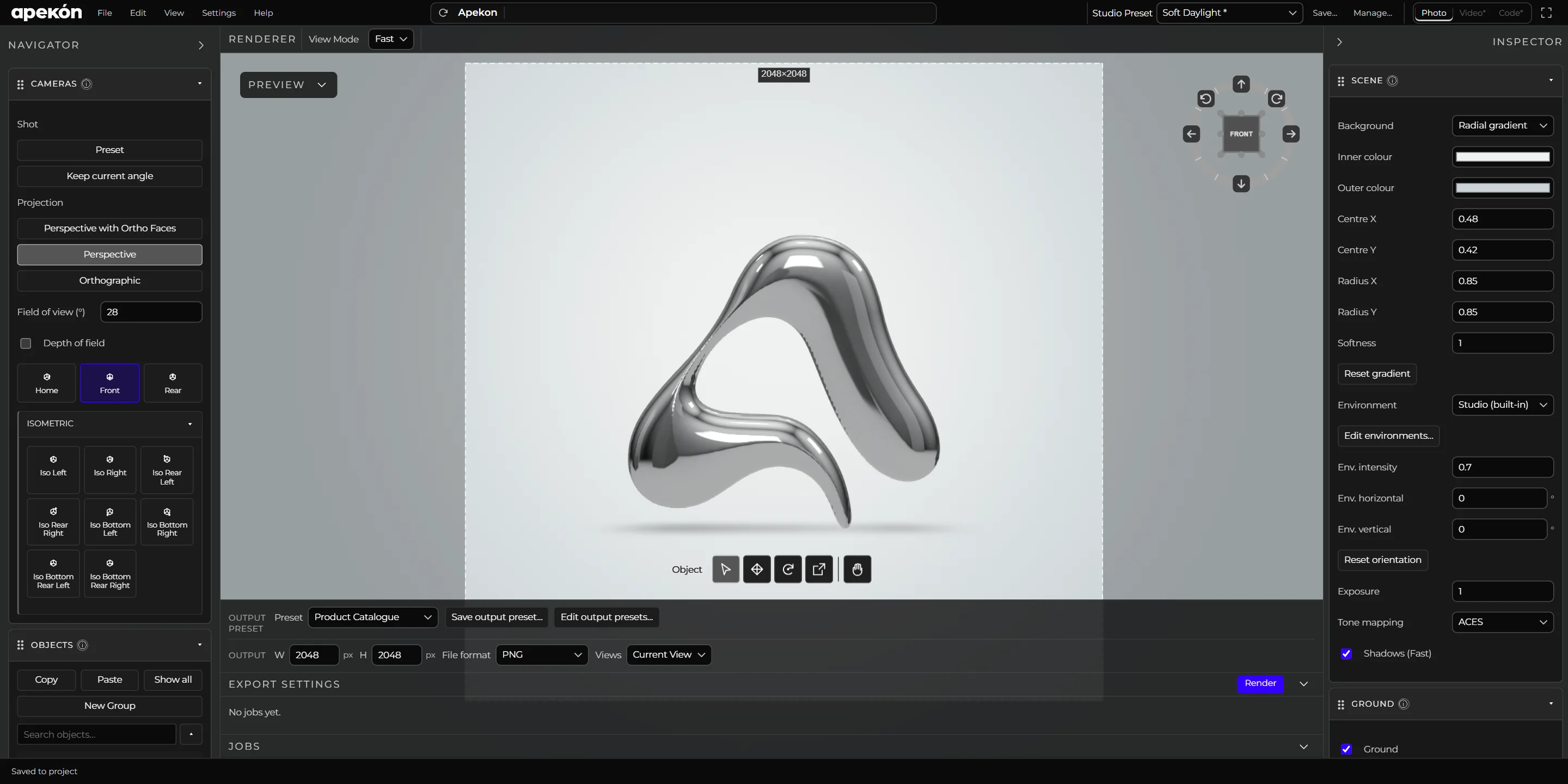
Apekon Studio is a product visualization and rendering application. It brings model preparation, materials, lighting, cameras and exports into one workflow, so a product looks the same in every image.
It is made for product designers and the teams around them: anyone who needs clear, repeatable views of a physical product without setting up a full 3D pipeline.
02Workflow
From model to image set.
- 01
Import
Open GLB, glTF, OBJ, STL, PLY and STEP files. STEP assemblies are converted on your machine and keep their part structure and colours.
- 02
Materials
Assign finishes part by part from 58 built-in materials in eight families, from plastics and paints to metals, glass and powder coats.
- 03
Light and cameras
Start from a Studio Preset or build the scene yourself: environments, lights, ground shadows, reflections and saved cameras.
- 04
Render and export
Render the current view or every camera at once, photoreal or in technical and illustrated styles, and export the model as GLB.
03Local first
Your files stay on your machine.
Apekon Studio runs locally. Models are never uploaded, and each project is a portable folder that holds its models, materials, renders and exports.
Every render goes to a new folder, so earlier images are never overwritten.
04Early access
Apekon Studio is in active development.
Request early accessWrite to hi@apekon.com and tell us what you would render first.